All-in-one Android file manager with vault and duplicate photo cleanup
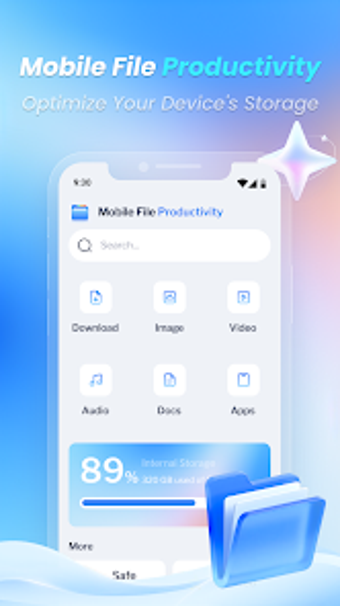
Experience a blend of file browsing, storage analysis, and privacy controls: categorized browsing, a storage analyzer, and a passcode-protected vault. Mobile File Productivity, from ModernHomeDecore, targets Android users who need straightforward file organisation and space recovery. Key tools include a Similar Photo Cleaner, Recycle Bin, and an integrated search bar for multi-format documents. It's aimed at people who want an aggregated toolset to reduce storage clutter and protect sensitive files on mobile devices.
What the app actually does for device file management
The app centralises file tasks by offering categorized browsing for Downloads, Images, Videos, Audio, and Documents, plus a multi-format viewer that handles office documents, PDFs, ZIPs, and media files. In addition, the Starred feature bookmarks important files and the integrated search bar locates items across internal storage. These elements combine to place common file operations inside a single Android interface.
Does it affect system performance during scans or cleaning?
The tool is described as designed to be lightweight and compatible with current Android versions, which suggests modest resource demands during routine use. The Similar Photo Cleaner and Duplicate File Remover run automated scans to group redundant images and screenshots, and the Recycle Bin holds deleted items before permanent removal, letting users reclaim space without immediate data loss.
Is the Safe Folder and recycle workflow secure?
The Safe Folder uses passcode protection to hide private photos, videos, and documents, keeping them separate from the main gallery. The presence of a Recycle Bin provides a recovery path for accidental deletions, and the app separates the secure area from regular folders rather than mixing items into the primary file tree.
Who can use it without technical knowledge, and where does it demand care?
The blue-themed UI and guided features like similar-photo grouping target everyday Android users who want minimal configuration. Nevertheless, automatic grouping of images implies that users should review matches before deletion, because the cleaner performs automated detection rather than forcing manual selection of every duplicate.
Practical for everyday Android users, but watch automated deletions
The app suits Android users who want an all-in-one file manager that combines storage analysis, duplicate-photo detection, and a passcode vault; its early chart placement and a 4.6 user rating reflect strong initial uptake. The single clear caveat is the automated grouping in the photo cleaner, which requires user review before mass deletion to avoid removing desirable shots.